In this video, I'm going to show you everything that you need to know to run profitable Tik Tok ads for your drop shipping or e-commerce business in 2026 and beyond. So, if you've never run an ad before and the setup seems overwhelming or confusing, maybe you're worried about burning money, then this is the video for you. Now, I've helped hundreds of beginners launch profitable Tik Tok ads for their business, and I've also generated over $2.4 million on the platform for my own e-commerce businesses. So today, I'll break down the entire setup process into just three simple steps that you can follow, and by the end of this video, you'll have everything you need to know to launch your very first Tik Tok ad campaign. To get started, head down to the description box and click the first link below. Right now, they're running a special offer where you can get up to $6,000 in completely free ad credits, which basically means that you're getting Tik Tok ads for 50 cents on everybody else's dollar. And as you can see on the landing page, when you click unlock offer or you sign up down here below, you have to use a new email address that isn't associated with any previous Tik Tok ad account you may have set up. Every time you put $1 into the platform, it's automatically going to credit your ad account with an extra dollar from Tik Tok all the way up to 6K. You can go ahead and click sign up. Now, once you've signed up, you're going to land on a page like this. This is the Tik Tok business center. On the left side, you're going to see a bunch of different menu items and settings that you can access. Here's where you can change your business settings, add payment information, connect your accounts, give access to other users, and a bunch of other features that you might need access to at some point in time. But in order to start creating your campaigns, all you have to do now is go to the top left corner and click on where it says ads manager. From here, because it'll be a fresh account, you'll have to create a new ad account, which you can do in the top right corner. And if you haven't already done so, all you have to do is add a little bit of information about your business. Go ahead and click confirm, and then you should be taken to the next page. Now, once you're inside the ads manager, it should look something like this. And just for reference at the top, you can always go back to your dashboard by coming over here where it's basically going to give you some insights, updates, potential audiences, and some other things that are going on with your account. But really where you want to stay is this campaigns tab right here. Under the campaigns tab, it's going to show you all the different ads that you're currently running. And in order to go ahead and start running your first ad, you just want to click on this green button that says create. The first thing it's going to ask you is for your advertising objective. There's so many different ways to run ads, but specifically for e-commerce, if you're trying to make sales on a product online, you want to go ahead and click on sales. And then you're going to have Tik Tok shop, website, app, or website and app. I would recommend going over to website because this is driving sales directly to your landing page. And then go ahead and just use the smart plus campaign feature that's automatically selected. And what this is going to do is, as it says here, improve ad performance with automated campaign management. So, it's basically going to distribute your budget automatically to your best performing ads and ensure you're getting the most bang for your buck when you're using Tik Tok ads. Now, just scrolling down a little bit, this is where you can name your campaign. So, feel free to name it or organize your campaigns and your ads however you want. I'm just going to go ahead and call it test one and then go ahead and click continue. Now, you're inside of the campaign and you're building out what's called an ad group. So, if it helps you to visualize what's going on here, basically each ad campaign has three different layers. The first one is the actual campaign itself, which is where you choose the objective like conversions or sales. And then you have ad groups. So inside of your campaign, you'll have a couple of different ad groups. And underneath those ad groups, that's where you hold the ads. So each ad group is its own little bucket. And inside the first thing that you want to do again for naming an organization is go ahead and call it whatever you want. For me, ad group test number one. Optimization location, keep it on website. again driving conversions to your website. Goal conversion data connection Tik Tok pixel for Shopify. Now, in case you don't know how to set up the Tik Tok pixel, when you're on this page for the first time, it will prompt you and show you how. But if you don't happen to see it for whatever reason, navigate over to your Shopify store and click on sales channels. Then in the search bar, just go ahead and type Tik Tok and click on the first one. I already have mine installed on Shopify, but you might just have to go through a little quick installation process to install the app. And basically what this is going to do is it's going to allow you to set up the pixel automatically by just clicking a couple buttons instead of manually installing the code on the website yourself. Continuing on with the ad group, you want to make sure the optimization event is set to purchase, which basically means that the pixel is going to optimize for finding buyers who will actually purchase the product rather than just click on the website or add to the cart or some other type of event. For now, we're just going to keep these other settings as they are. And then scrolling down to budget and schedule. This is where you're going to decide on your daily budget. So, how much are you spending every single day on this campaign? I'd recommend the bare minimum 50 because that's going to allow you to get some decent data in the door pretty quick and then further make optimizations down the road. And then in terms of schedule, same thing like Facebook ads. You want to go ahead and set this to midnight. And the reason for that is so you give Tik Tok a full 24 hours to get results. If you just scheduled it for right now, it might be weird timing and then you might not get the best results or it might overspend the budget. So, I always like to set it for midnight the next day. Now, in terms of audience targeting, this is where you just want to put the countries of wherever you can sell or ship to. For me, it's usually United States and Canada. So, those are the two countries that I have there. I keep languages on all and I keep automatic placements as they are. Now, a little tip here. If you're drop shipping and you don't want other competitors downloading your ads, stealing them, and using them for yourself, just go ahead and turn off allow video download and then go ahead and click continue. Now, as you can see, we're inside that bucket. So, that ad group one, and we're creating our first ad. So, I'm going to go ahead and call this test ad one and scroll down. Now, this is super important, your destination URL. So, a lot of beginners make the mistake of putting their website homepage here. You actually don't want to do that because you want to send people directly to the landing page so they can buy it. The whole point of running ads and getting people to your store is to remove as much friction as possible and make it easy for them to check out and make a purchase. So, make sure you put your landing page or your product page. Now, scrolling down a little bit, we have the creative assets section. So, this is where you actually go ahead and add the creatives that you've made. So, you can click on add existing and what you can do is you can link a Tik Tok account. So, if you already have an organic account for your business and you can use those posts as advertisements, but instead you can come over here to the creative library and you can click upload and right here drag and drop all of your different ads in. For me, I'll just click on this existing one that I have right here. And then scrolling down a bit again, you can link your Tik Tok account if you want here or you can start writing in the text. So, for example, buy 1 get one 50% off shop now. And as you can see on the ad on the right hand side here, this is me from like four years ago by the way. Uh just down below you're going to see buy 1 get one 50% off shop now. Now what's really cool about Tik Tok ads today is that it's going to go ahead and mix and match different text and different selling points to see what resonates best with the customers. So for selling points, you can actually add up to 25 here. So, for example, 50% off, buy 1 get one free, limited time offer. And when you do this, it's going to automatically test different versions as it shows ads to different people and see what performs the best and continually keep optimizing for you. And another thing that's really cool about the smart plus campaign feature is you can just add as many videos as you want to this one ad group. So, in the past, I would create many different ad groups, but now all you need is one campaign, one ad group, and you can load all your different creatives right inside of that ad group, just like I'm showing you how to do right here. Now, also, I totally forgot to mention earlier, but if for whatever reason you found your way to this video and you don't yet have an e-commerce brand or a drop shipping store, then I got you. And all you have to do is head down to the description and click on the second link, which will be buildyourstore.ai. In less than five minutes, AI will build you an entire website and load it with winning products. And yeah, it's 100% free to use. But anyways, just like that, Tik Tok has been connected to your Shopify. You've learned how to set up your first campaign, ad group, and ads inside of that ad group. But basically meaning that once you hit this green button at the bottom that says publish all, your ads will go live and they'll start running at midnight. On top of that, the pixel will be firing. So all the data that it's collecting from all the people who are viewing your ads will be fed to the Tik Tok pixel so it can continually learn and get better and better at finding out who your customers are and reaching them. And again, I strongly recommend that you use my partner link for Tik Tok cuz you're literally going to get free money. All right. Now, once you have your campaign live, you'll see it here again showing up under campaigns. You'll be able to see the status as active. You'll be able to see the budget that you're spending every single day and a bunch of other metrics on the top menu right here. Now, you can always customize the metrics that show up by clicking custom tables and then editing them that way. But I'm going to tell you right now what are the most important metrics that you should be looking out for after launching your first campaign. So, first of all, your cost per acquisition is king. Probably the most important metric because it determines how much you need to spend on ads to acquire a customer profitably. Now, the formula to find what your break even cost per acquisition is your average order value multiplied by the gross margin. And here's my rule of thumb for what I look at when it comes to the CPA. So, if the CPA is below break even, you're in a good place and you can start scaling up slowly. If your CPA is 10 to 20% above the break even point, then you're in an optimization window. It means the ads are working, you're getting purchases, and you just have to spend a little bit more time coming up with new creatives, adjusting your landing pages, and your marketing in order to start acquiring those customers profitably. If your CPA is way above break even, so you're spending, you know, $50 or $60 to acquire the customer, then kill the campaign. It's probably not going to work out and you need to go back to square one. Now, the next metric I like to look at here is the 2C view rate. Usually, if you want to have success with Tik Tok ads, your marketing and the actual ad creatives need to be topnotch. A good benchmark for your 2- second view rate should be around 70%. Which means that 70% of people watch the video for at least 2 seconds. Another metric I like to look at is the hold rate or the average watch time. Basically determining how long people on average are spending watching your ad. And I'd say 33% is a good marker to shoot for. So, if your ad is 30 seconds long and it gets on average about 10 seconds of watch time, then that's really strong. And if you're having issues, it most likely isn't the creative because that creative is engaging and it's holding the audience. Another super important metric is the CTR or click-through rate. So, this shows how interested people are enough so that they actually click on your ad and go to your landing page. I would say if you're achieving a 1% CTR on Tik Tok ads, we can work with that. But if it's below 1%, then you might need to make new creatives. And if it's 2% or higher, this is very strong. This is what we're shooting for. And a lot of profitable campaigns are ran at 2% and above. At the end of the day, the most important thing when it comes to Tik Tok ads is making really engaging videos. So now you have a bit of an idea on what to look for. You know how to set up your Tik Tok ads, but you might still be scratching your head a little bit and thinking, "Ah, this sounds a little complex. I don't fully know when to kill the ads and when I should be scaling." So, let me give you some rules that I live by. So, first, never judge your ads based on 10, 20, or $30 of spend. That's just emotional trading at that point. Give it time. Give it a little bit of spend. Let a little bit of data come in before you make any rash decisions and turn off the campaign or scale it up. I recommend spending at least 1.5 times your target CPA. So, let's say your average order value is $60 or your product is $60 and your target CPA is $30. you know, basically meaning that you can make a nice little profit if you're only spending $30 to acquire each new customer. Then what I'm saying here is you don't want to make any decisions until you spend at least $45 on the campaign. Once you spend $45, you can then see, okay, did I make any purchases? How how is my CTR? How is my hold rate? And start to make some improvements or optimizations from there. And I'd say generally at this point, if you spent 1.5 times your target CPA and you have no purchases and your CTR plus hook metrics are weak, then kill the campaign. Now, if you've spent that same amount and your CPA is at or below break even and the results have been stable over a 24-hour to 72-hour window, now you can start to make the decision on scaling up. And when it comes to scaling, I'd recommend just increasing the budget on the campaign about 20 to 30% every 24 to 48 hours. What you don't want to do is you don't want to be like, I'm making so much money. I'm just going to double or triple how much I'm spending every single day. Because one, the Tik Tok pixel isn't strong enough yet. You haven't gathered enough data on your customers. And if you scale, your CPA might go way up. And two, you're also just starting. You don't know if you got lucky and you want to see what happens with a little bit more time and data. So always scale slowly. Every couple of days you can bump that budget up 20 to 30% and you can start to duplicate winning ad groups as well. Just increasing the budget is what I like to call vertical scaling. And duplicating the ad groups is called horizontal scaling. They both work and you can try them both out when you reach that point where you're scaling. Now, the last thing I want to touch on is, you know, if you've been having a hard time and you can't seem to get to the break even CPA or profitable, then I know it's frustrating and you might want to blame the algorithm or blame the platform, but the truth is people are printing money every single day with Tik Tok ads. It's usually that you have a weak creative. So, that's number one. You need to test different angles, test different customer avatars, film more videos of your product. Number two, it could be that your offer is just completely boring and it's not compelling people enough to click through. So maybe you don't have any kind of sale. Maybe your pricing is just way too high for the product that you're selling or your offer is just completely unattractive. The third thing is it could be a bad landing page. So, if your CTR is strong and people are going to your website, but when they hit the website, they don't have enough trust, they feel like your drop shipping store is scammy or, you know, there's all these popup wheels and crap coming up, then maybe you want to rethink how you've structured your website. And I have full in-depth tutorials on building websites on Shopify that I'll also link in the description below. But yeah, Tik Tok ads for drop shipping and ecom, it's super easy to set up. It's super easy to start, but ultimately it's going to come down to how great of a marketer are you and how unique can you be and stand out amongst all the competitors. And for me, one of the things that changed my life with ecom was getting a mentor. So, if you're someone who wants expert guidance, who wants hands-on help, who wants every single support resource imaginable, a community, and coaches to keep them accountable, then I've done something really interesting. And before you click off and think, "Oh, this is just another, you know, 24-year-old guru trying to sell me a $3,000 course." This is not what I'm talking about. Instead, why I'm so excited about promoting this and talking about it is because I've recently partnered up with AutoDS. If you're unfamiliar with AutoDS, they're the biggest drop shipping conglomerate in the world. They do millions and millions of dollars a month with drop shipping themselves, and they also have thousands of clients across every single niche. They can source any product and I could go on about them forever. But basically what I did is I asked them, you know, you guys have the backend data. You guys know what works today in real time with drop shipping. Can you guys build a mentorship program and can I promote that to my audience? And they said yes. So over the past few months, they've been building the biggest and best drop shipping education platform in the entire world. And it is finally here. Now, as far as I know, the spots are extremely limited right now, and I'm giving you guys the opportunity to come on board and work with us. I say us because I'm also going to be one of the faces of the company. I'm going to be there on monthly calls to provide more support and more resources for you guys. But really, man, they've already changed the game so many times and they're doing again with a brand new education platform. So, I invite you guys to click on the third link down below in the description if you are interested in applying. With that being said, we just covered everything you need to know to launch your very first Tik Tok ad campaign from scratch. But if you want to see me actually putting this information to the test live, I recently did a 7-day drop shipping challenge. And let's just say it didn't go as planned. But I want you guys to check it out. So watch this video next. And thank you so much for tuning into the channel. I'll see you next week. Peace.
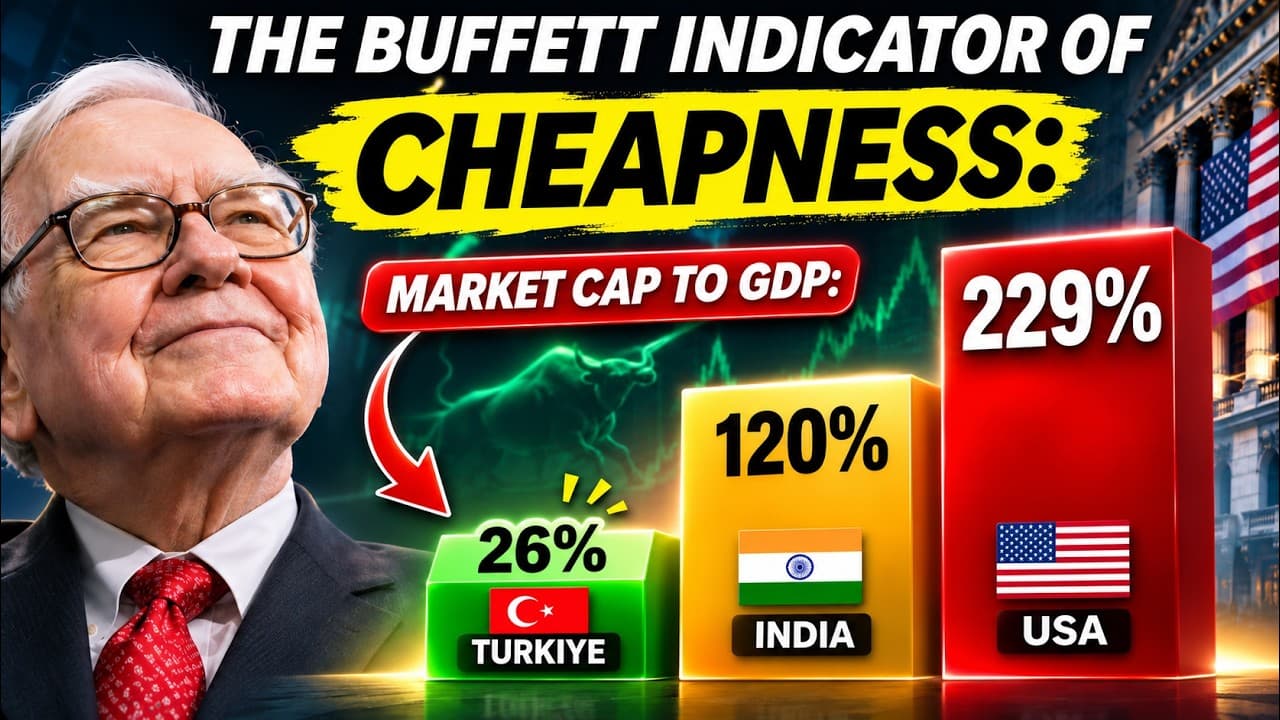 Mohnish PabraiMohnish Pabrai's Interview with CNBC TV18 on October 22, 2026
 Nikko MontanezHandmade chocolate business idea 💡 #shorts #trending #businessidea
 Predictive HistoryGame Theory #1: The Dating Game
 The Daily BeastWhy Billions Won’t Save Trump from Crushing Defeat | Inside Trump's Head
 Einfach MedizinEmbryologie - Befruchtung und Implantation einfach erklärt
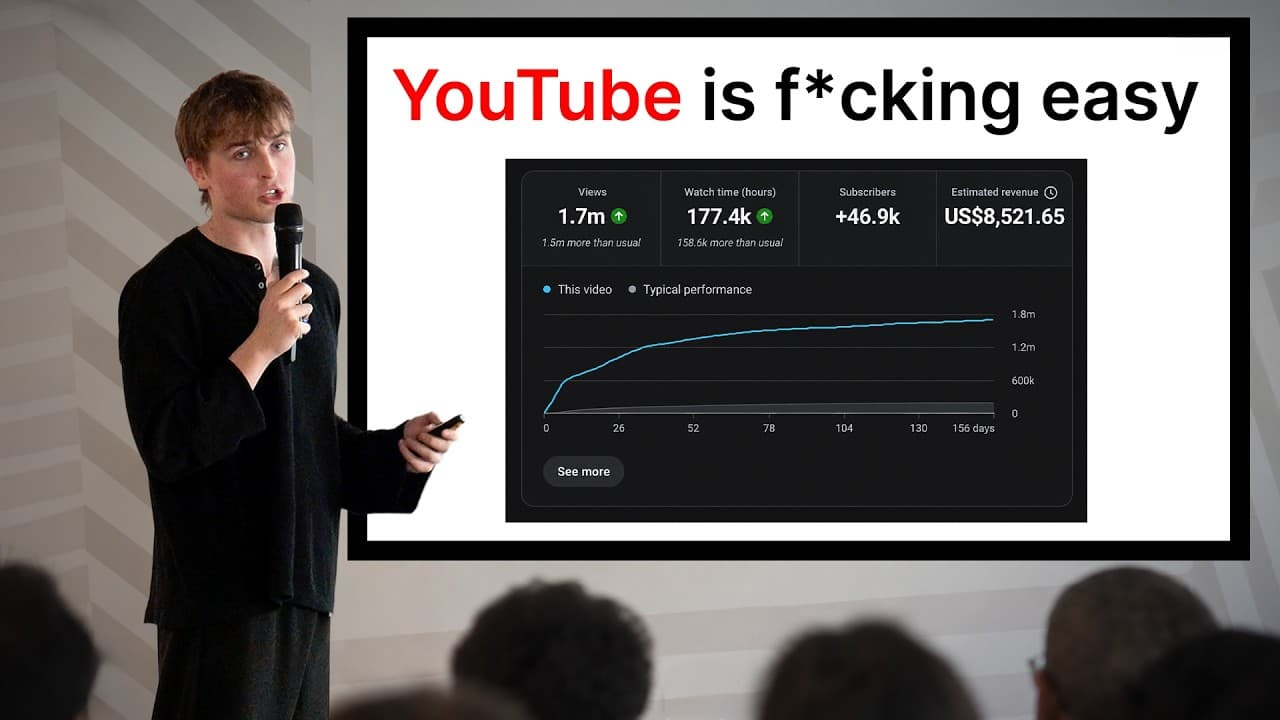 Jake TrinderThe Most Valuable YouTube Training You'll Ever Watch
 Lineker MacielGlória/AFAVA X Atlético-RS - Copa Luis Parise Sub-15
 My Duvet FlipFounder and CEO of Halo: How I Built A £40 million Business